Dear colleagues!
We remind you that publications participating in HSE competitions must undergo a mandatory publication verification procedure.
Employees must enter publication information themselves using the link. To log in, use the login and password for your personal account on the corporate portal.
Read the Regulations
Before submitting your publication, please check the following:
Have you checked the box next to "Are you planning to use this publication for HSE’s academic campaigns (applying for academic bonuses, research productivity assessment, etc)?"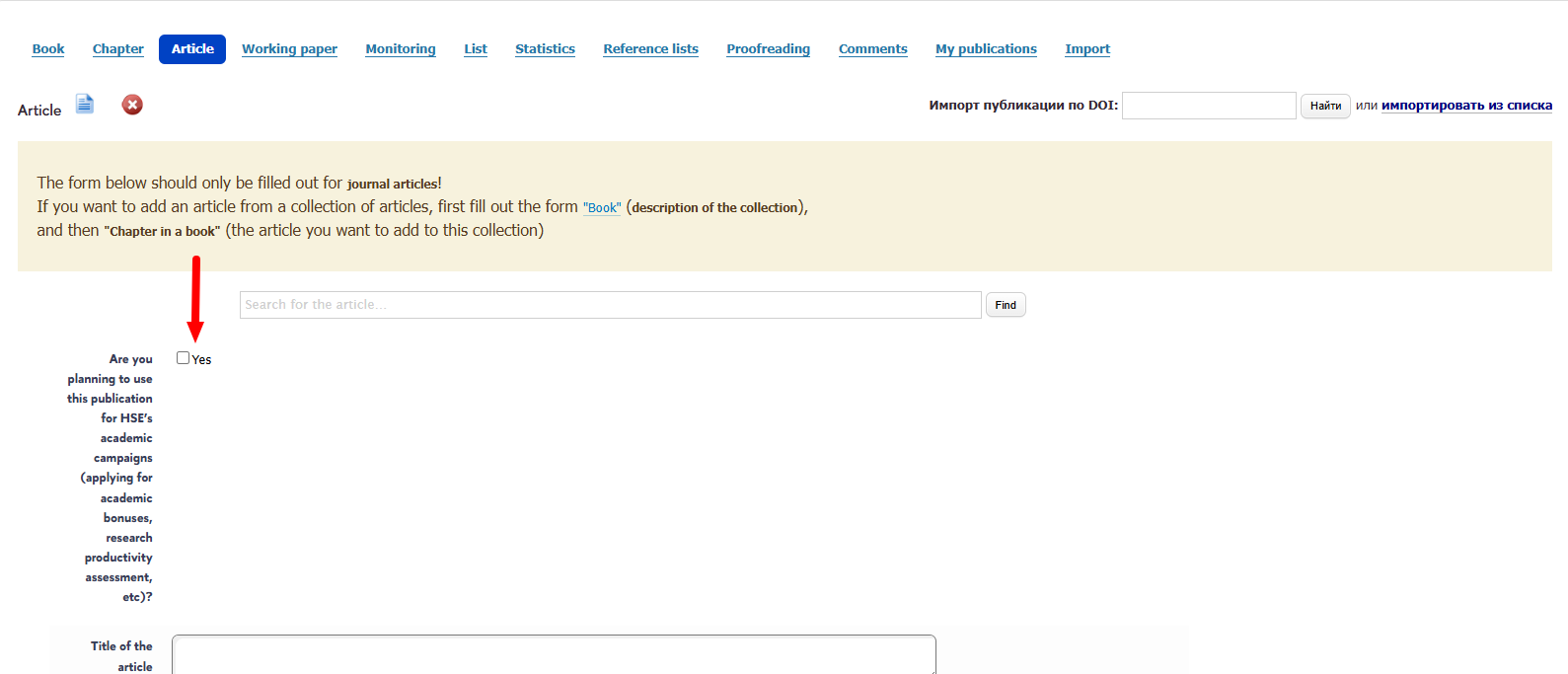
The data you entered completely matches the publication output data (title, order of co-authors, name of journal/publisher, number, pages).
You have left a link to the DOI of the work or a link to the work in Scopus, Web of Science, RINTS, or added a link to the description of the work on the official website of the journal/publisher.
The same article is not entered into the database twice.
Frequently Asked Questions:
What to do if a scientific publication has not been verified?
If your scientific publication has not been verified (status "Not Checked" please note the fields highlighted in red—these are the fields that could not be verified. There may also be a message from the staff member who reviewed the publication at the bottom of the publication card. If you make the necessary corrections and click "Save," the publication will be sent for re-verification. If you believe the corrections are not necessary, please leave a detailed comment in the "Comment" field and click "Save"—in this case, the publication will be sent back for review.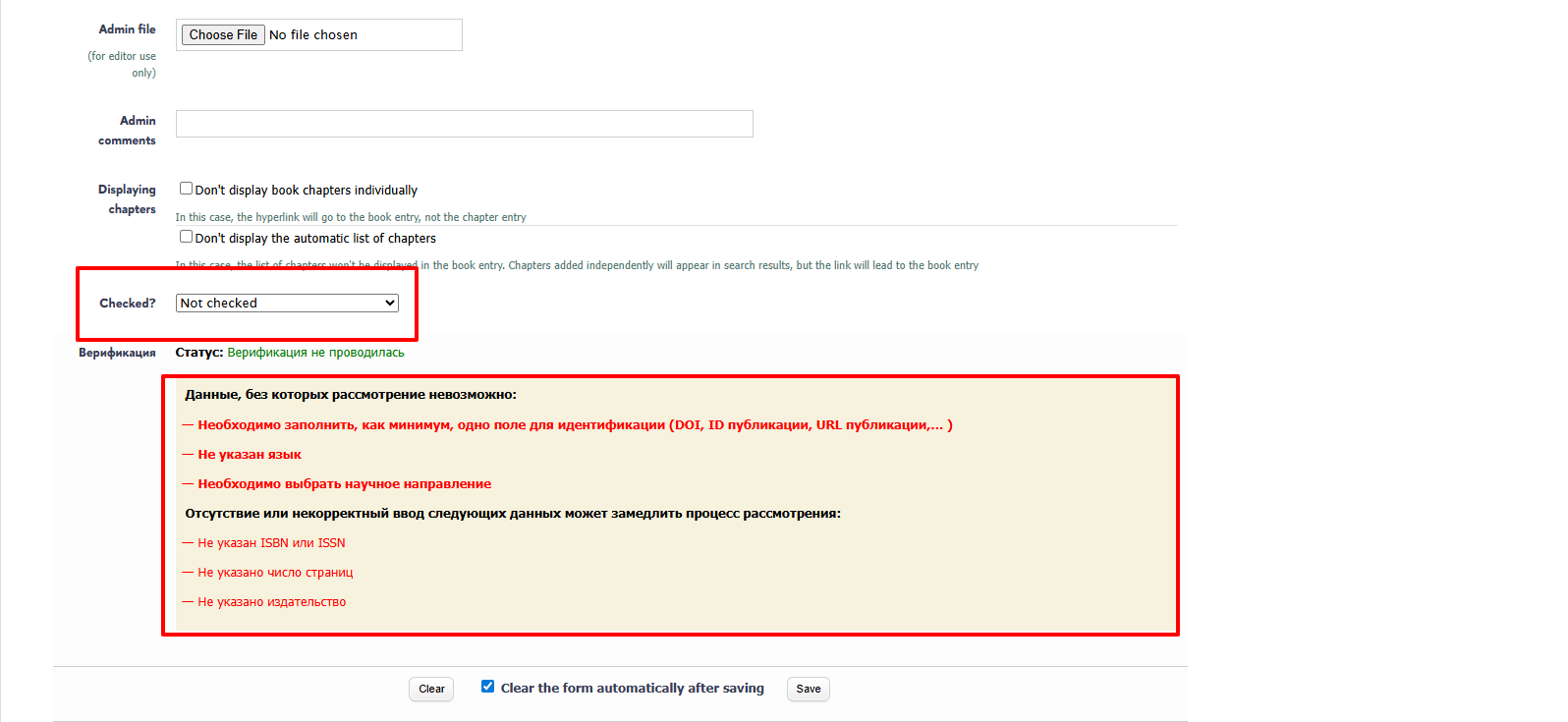 "),
"),
Do I need to include an abstract and keywords?
Yes, this is necessary for the publication to be displayed correctly on the portal.
How do I enter a journal title?
The titles of all journals included in the RPA are contained in the publication database directory (the "Journal" field).
An article will be included in the OPA only if its title is selected from the directory.
If a title cannot be found in the directory when entering it, it may be entered incorrectly or articles from the journal are not included in the RPA. You can enter the journal's ISSN in the journal name search field; the desired record will be retrieved (if the ISSN is entered in the system).
!!! Please note that when entering the English-language title of a journal that is a translated version of a Russian-language journal, you will see the Russian-language title in the directory in edit mode, since both versions are entered as a single journal. You must select the Russian-language title. The English-language title will be displayed in the article description on the portal when the article language is set to "English."

How can I check if a publication is verified?
You can always check your verification status by going to the "My Publications" tab. If your publication status is "not checked" or "checked, but there are mistackes" we recommend going directly to the publication card. At the bottom of the form, you can find comments from the bibliographer who verified your work. Fields that could not be verified will be marked in red.


What is DOI?
A Digital Object Identifier (DOI) is a unique identifier for your publication that must be assigned to scientific papers. Learn more here.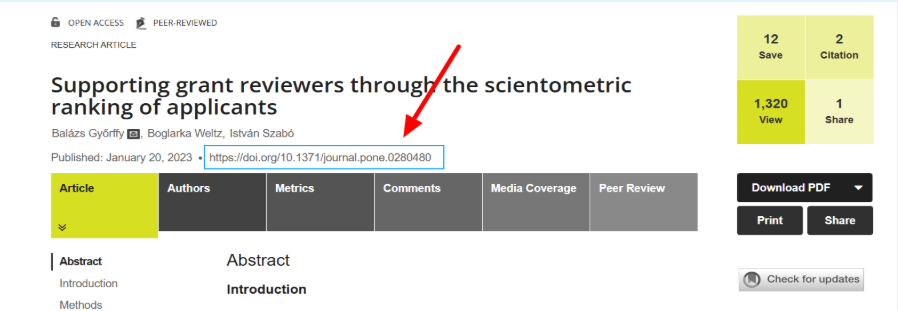
What is affiliation and how to formalize it?
Affiliation is defined as indicating a specific author's affiliation with HSE in the publication's bibliographic description or in the publication's text (in the "About the Authors" section, a note to the author's name, etc.).
The procedure for formalizing affiliation can be found in the Academic Allowances Regulations (clauses 1.3.3 and 4).
Recommended affiliation options are available at the following link: https://scientometrics.hse.ru/affiliation
How to create a link to Scopus?
You can enter either the Scopus EID in the "Publication ID" section or the URL to the publication's description page in Scopus (copy from the address bar into the "Publication URL" field). The EID, a unique publication number, can be found in the address bar, beginning with https: between the "eid=" expression and the & sign. This string of characters should be copied and entered into the appropriate field. For example: 2-s2.0-51649152491.
How to create a link to Web of Science?
1. Go to webofknowledge.com
2. At the top of the screen, select a database - web of science core collection.
3. Using basic search, find a publication by title or DOI (entered without URL prefixes).
4. In the search results, click on the publication title to open its page.
5. In the document information section, find the Accession Number: e.g., WOS:000423862000009. If it's hidden, click See more data fields.
6. Copy the numbers (just the numbers, without "WOS:") into the publication page on the HSE portal.

Do I need to attach a publication file?
An electronic version is required only if you plan to submit this publication for an academic bonus (in this case, you must upload the file in the "Full Text..." field, but we would be grateful if you also upload it in the "Identification" section). In other cases, an electronic version of the publication is optional but encouraged. The full text can be posted either in an open access format (subject to a corresponding author's agreement) or in a closed access format (on the university's local internet network or only for reviewers of reports, grant applications, etc.). The closed access text will also be useful for expanding the sources of the Antiplagiat system.

Do I need to send covers (for books)?
At your discretion. The book with the cover looks better on the portal.
I have a reprint...
If you have a reprint of a book or textbook, you need to create a new card and provide the details corresponding to the reprint. The card for the previous edition remains as is.
Should I search for the article number?
If a journal uses pagination (sequential page numbers for the entire issue), then specifying a page range for an article is sufficient.
If the journal's page numbering restarts for each article (there is separate pagination), then the "article number" field should be filled in instead of the "pages" field.
How do I remove a post from my personal page?
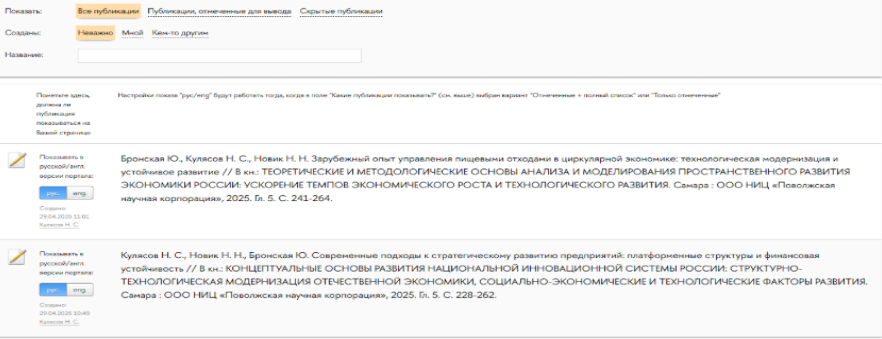
In your personal account, on the publications page: for publications you want to remove from your page, change the Russian/English color to gray. Blue means the publication is visible on the page, gray means the publication is hidden.
How to add yourself?
Select the publication card and click the "->Me" button in the Add Authors section. The pop-up window will display the profile you're logged in with when you perform the operation.
How to add a co-author from HSE?
If you see complete namesakes and/or duplicate profiles, select the profile linked to the co-author's department.
Staff of the Department of Scientific Bibliography:
Natalia Shkoldina
Analyst
Ask a question about publication verification